How to register as a supplier on eSourcing NI
Open the eSourcing NI JAGGAER portal and choose Register. Read the user agreement, complete your organisation and user details, then sign in with the password emailed to you. Find the buyer’s opportunity and follow its response instructions. eSourcing NI and eTendersNI are separate systems; use the one named in the notice.
Last updated: · TenderNudge
Open eSourcing NIWhat you need to register
Have the following details and access ready before you start your registration:
- The buyer's portal link and tender reference, if you are registering to respond to a particular opportunity.
- Your business name, address and contact details.
- The name and contact details of the person who will manage the account.
- Access to your work email, where the portal will send your password.
- A desktop browser, or desktop view enabled on your phone.
- Permission to register for your organisation and accept the user agreement.
Registration and first steps
Check which portal the buyer uses
Follow the tender notice to the buyer’s portal. eSourcing NI uses the JAGGAER address linked below. Check the buyer name and tender reference before registering.
eTendersNI is a separate portal used for many Northern Ireland public tenders. Your notice will tell you which system to use; an account on one does not give you access to the other.
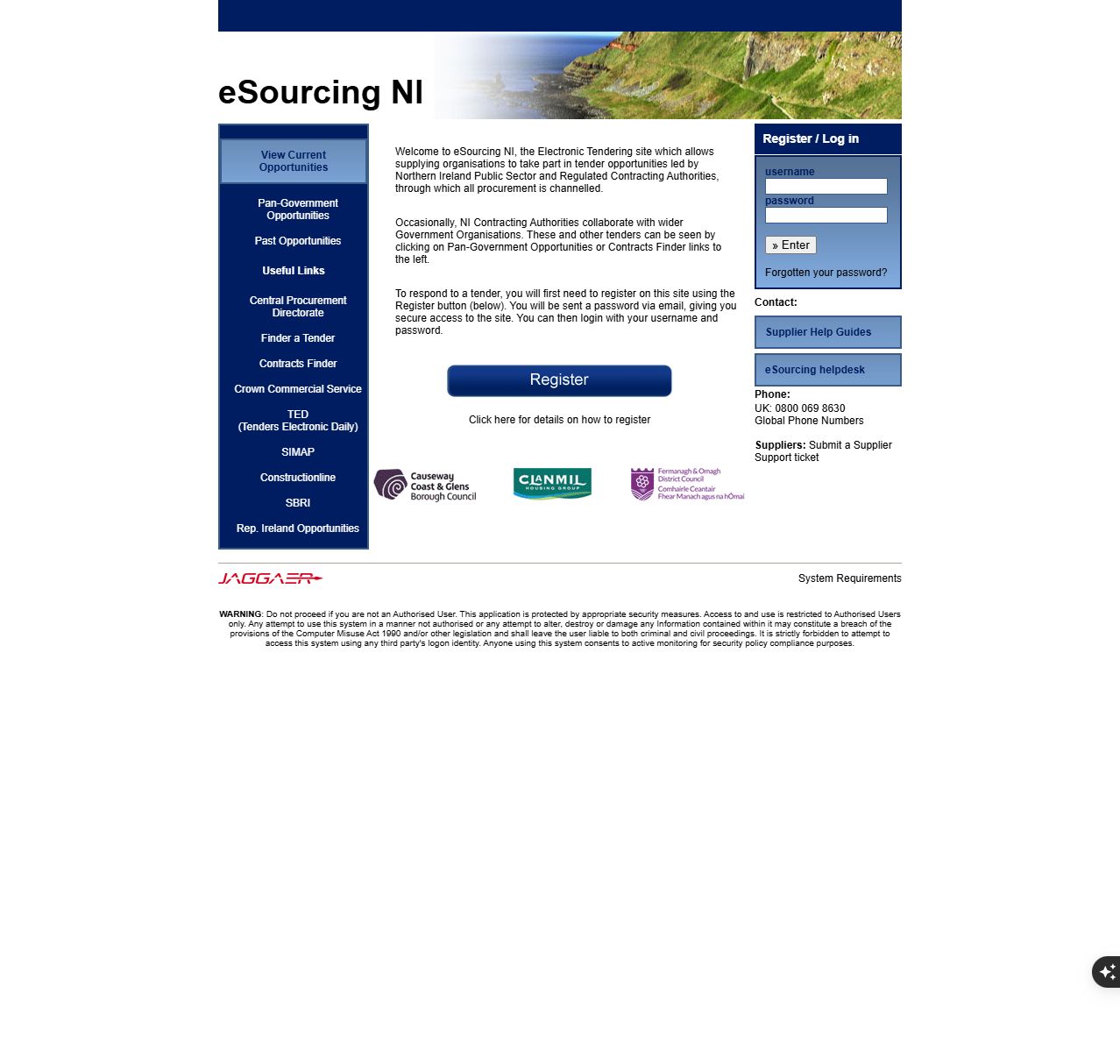
Read the agreement and register your business
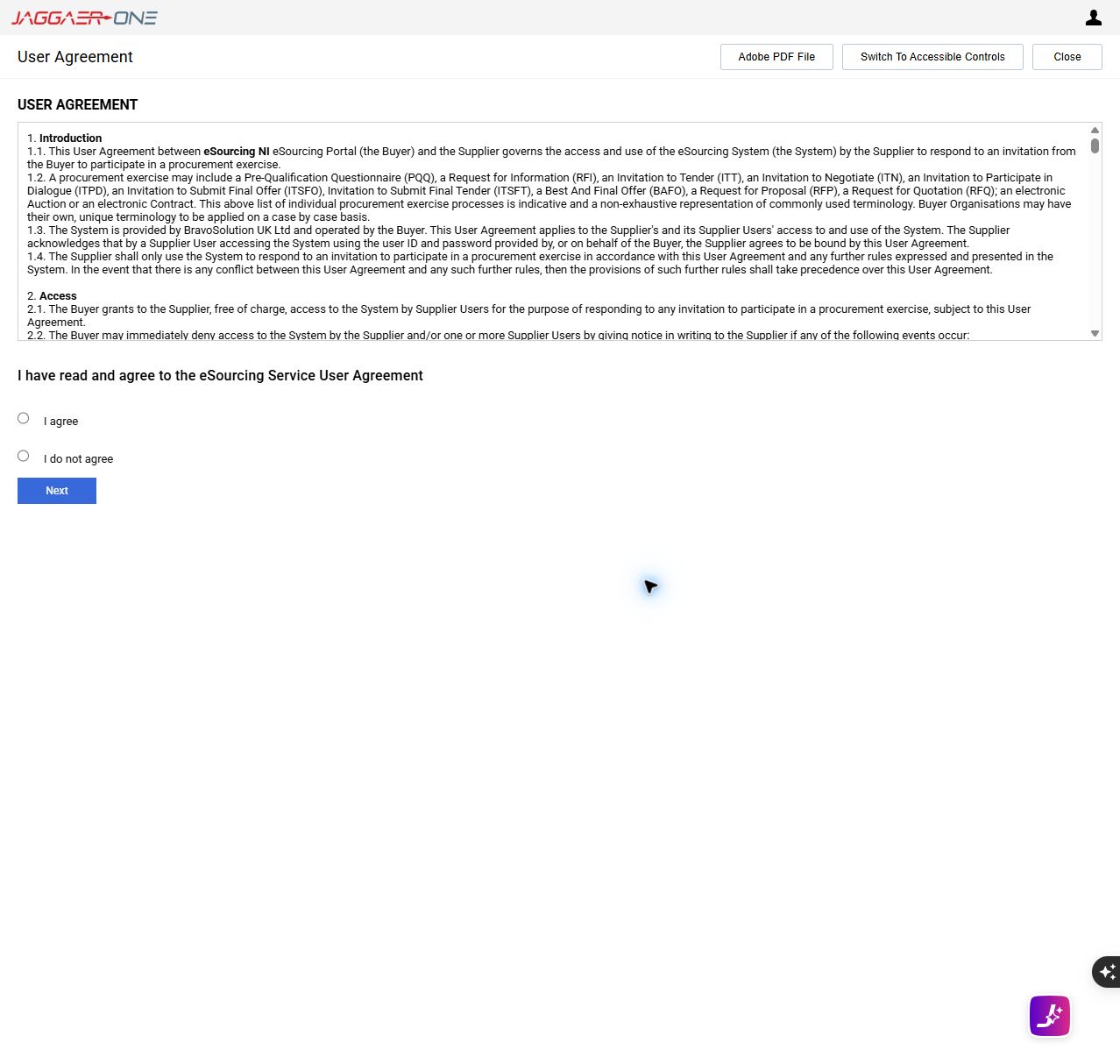
Choose Register on the eSourcing NI home page. In the new tab, read the User Agreement, select I agree and choose Next to continue if you accept it.
Complete the organisation and user details requested by the form. Choose your username and enter an email address you can access. Check the fields marked as required and review your details before finishing registration.
If your organisation already has an account, ask its account manager to arrange your individual user access before creating another company registration.
Sign in with your emailed password
Check the registered inbox for the password sent by eSourcing NI. Use your username and that password on the login page, then follow any security instructions displayed.
Keep your login details private. If the email has not arrived, check spam and your registration email address, then use the portal’s supplier support options.
Review your profile and tender alerts
Check your organisation and contact details after signing in. Review the available alert criteria and select the services or products your business can supply.
Use the supplier help guides for the options shown in your account. Arrange separate access for colleagues who need to work on responses, and check that each person has the permissions they need.
Find the opportunity and express interest
Search the opportunities open to suppliers using the tender code, title or buyer name. Belfast City Council’s instructions use ITTs open to all suppliers. ITT means invitation to tender; some exercises use a PQQ, or pre-qualification questionnaire.
Open the opportunity that matches the notice and follow its option to express interest. Access the questions and documents, then read the buyer’s participation instructions.
Complete and submit your response
Read the documents, answer the required questions and upload the requested evidence. Your response may include qualification, technical and commercial sections. Use the tender’s messaging option to ask the buyer questions.
Check every section and the closing time, then complete the final submission or publication step. Saving answers or expressing interest does not submit the response. Check the status and keep the portal’s confirmation.
Common problems
I cannot find registration on my phone.
Switch your browser to desktop site or desktop view, or use a desktop browser. Belfast City Council recommends desktop view for mobile registration.
I have not received my password.
Check the email address used for registration and your spam folder. Use the supplier support ticket link on the eSourcing NI home page or call the UK helpdesk on 0800 069 8630.
My eTendersNI login does not work here.
The portals have separate accounts. Check which one the notice requires and ask whether your organisation already has an account there. Register on that portal if needed.
My saved response is not submitted.
Return to the opportunity and complete its final submission or publication step. Check the response status and confirmation before the closing time so the buyer receives your response.
Frequently asked questions
Is eSourcing NI registration free?
Yes. Supplier access to eSourcing NI is free.
Do I need a D-U-N-S number?
eTendersNI has a published D-U-N-S requirement. For eSourcing NI, follow the required fields on its own registration form. Ask its helpdesk if you are unsure which business identifier to enter.
Can colleagues help with a tender response?
Yes. Separate users can work on tender sections and receive related messages. Use individual access and check the supplier multi-user guide to set the permissions each colleague needs.
Which Northern Ireland tender portal should I use?
Use the portal named in the buyer's notice. eSourcing NI and eTendersNI are separate services with their own accounts, so follow the registration instructions for the one the buyer uses.
Official links and help
- eSourcing NI JAGGAER login and support
- eSourcing NI registration
- eSourcing NI supplier help guides
- Supplier guide: registration and tender responses
- Supplier guide: additional users
- Belfast City Council tender search and registration
- Belfast City Council alerts and response instructions
- Ulster University tender portals
- Department of Finance eTendersNI guidance