How to register as a supplier on Sell2Wales
New suppliers need a Central Digital Platform supplier Unique Identifier before registering on Sell2Wales. Get it from Find a Tender, then use Sell2Wales free registration through Sign On Cymru. Complete your company profile and choose categories and locations for email alerts. Existing suppliers should add the identifier to their current profile.
Last updated: · TenderNudge
Open Sell2Wales registrationWhat you need to register
Have the following details and access ready before you start your registration:
- Your organisation’s supplier Unique Identifier from the Central Digital Platform (Find a Tender). New suppliers need it before Sell2Wales registration.
- A working email address, with access to its inbox for Sign On Cymru verification.
- A Sign On Cymru password of at least 12 characters, using at least three of these types: lowercase letters, uppercase letters, digits and symbols.
- Your business and contact details for supplier registration and your company profile.
Registration and first steps
Get your supplier Unique Identifier
Register your organisation on the Central Digital Platform through Find a Tender and get its supplier Unique Identifier. New Sell2Wales suppliers need this for registration.
If your business already has a Sell2Wales account, use that account and add the identifier to its company profile.
Open Sell2Wales free registration
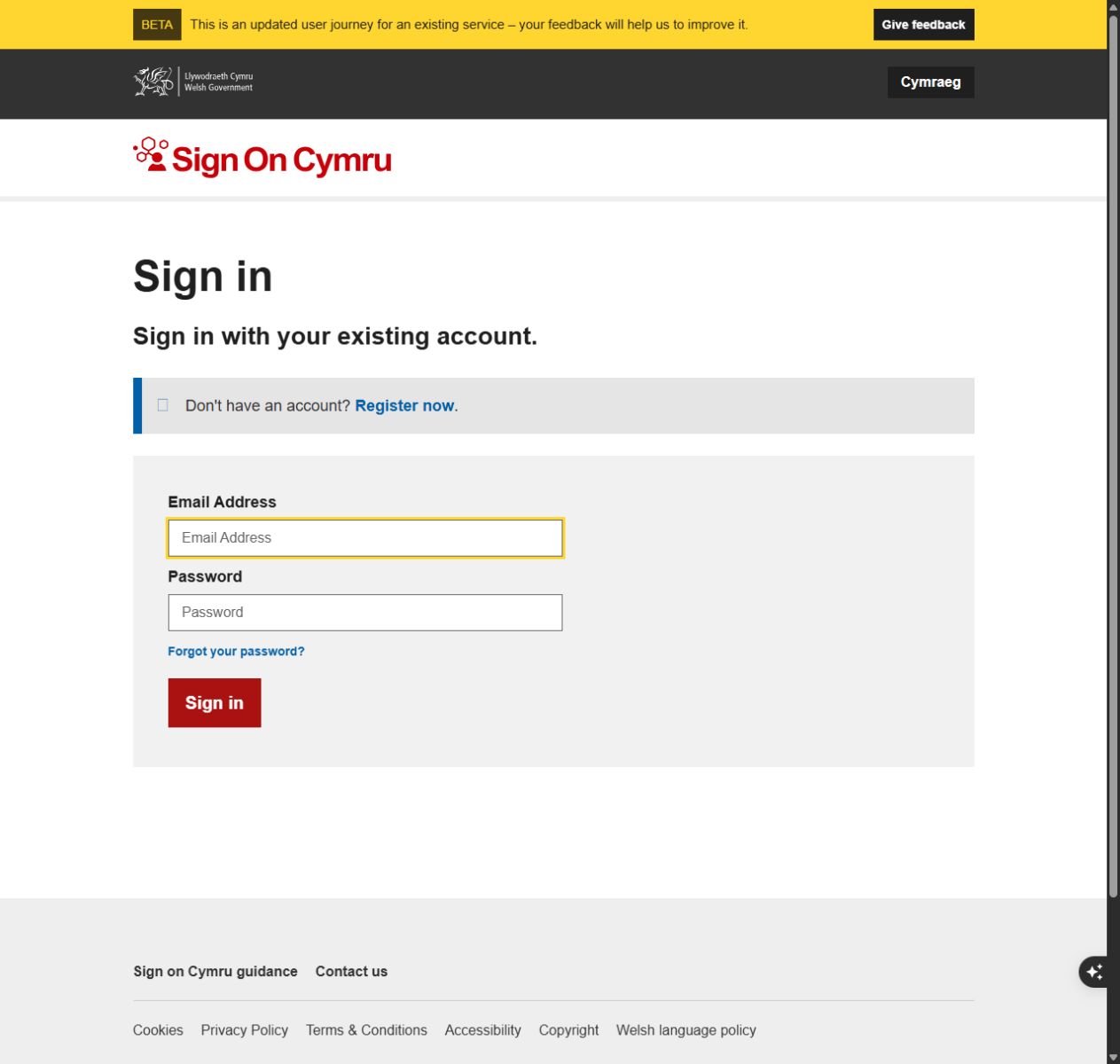
Open Sell2Wales registration and follow Free registration to Sign On Cymru. Sign in if you already have a Sign On Cymru account, or choose Register now.
Create your Sign On Cymru account
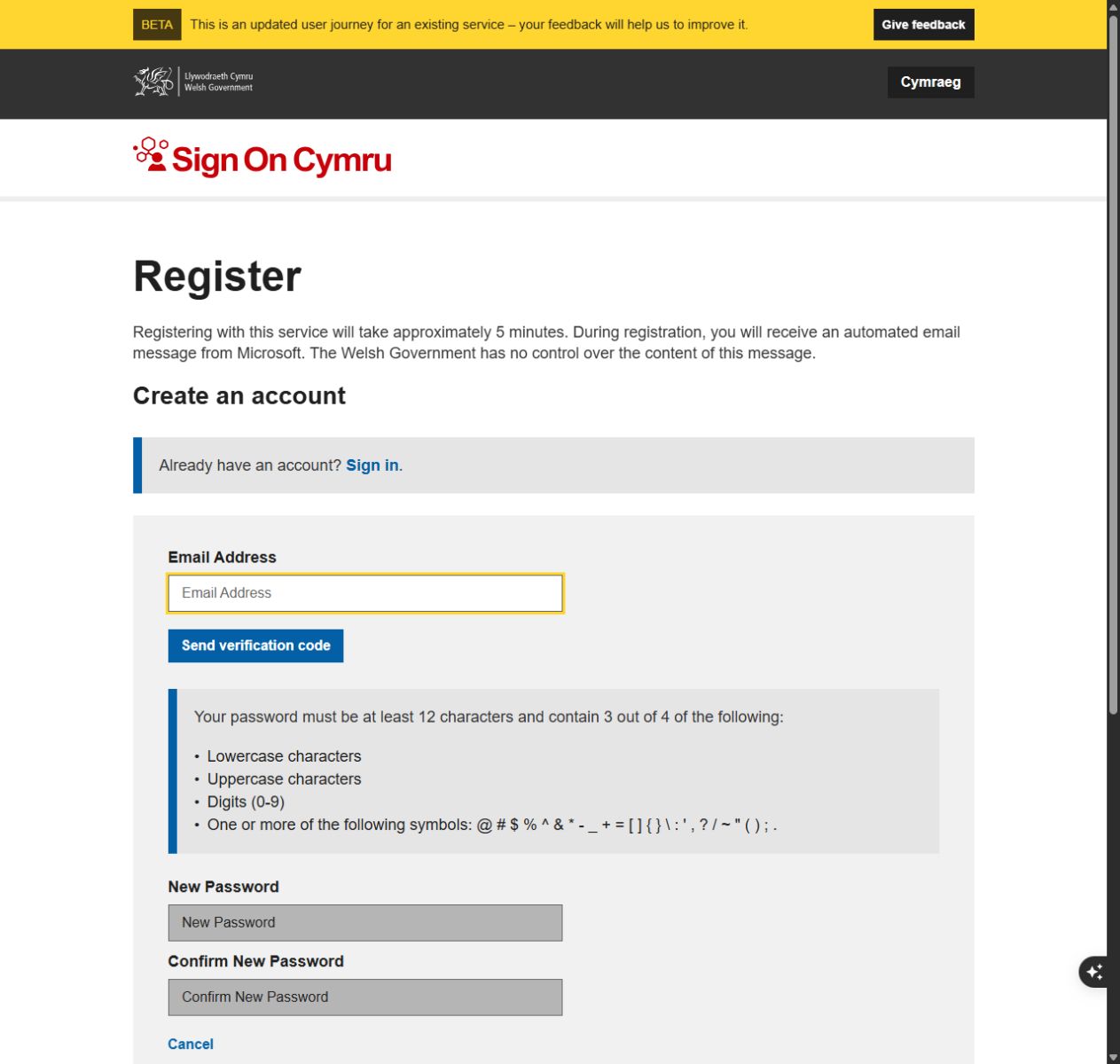
Enter your email address and choose Send verification code. Look for the verification email from Microsoft and follow the prompts to verify your email.
Enter and confirm a password of at least 12 characters, using at least three of lowercase letters, uppercase letters, digits and symbols. Complete the remaining prompts and choose Create.
Continue to the Sell2Wales supplier registration and enter your CDP Unique Identifier and the business details requested.
Complete your company profile
Open Supplier Control Panel, then Company Profile under My Profile. In Company settings, open Central Digital Platform, enter or check your Unique Identifier and save.
Complete the profile questions with accurate answers. These include fair work, equality, environmental management, ethical employment and the Welsh language. Menu labels may vary; look for the company profile and identifier sections.
Choose categories and locations for alerts
Open Alerts Profile under My Profile. Select relevant product or service categories and the geographical areas where you can work, then save.
The categories use CPV codes: standard codes that describe goods, works and services. Choose categories that reflect your offer so the email alerts are useful.
Create a public Supplier Finder profile
If you want buyers to discover your business, open Public Profile under My Profile. Add a clear business description, working areas and up to six searchable keywords.
Supplier Finder is separate from email alerts. Buyers may use it to select suppliers for Quick Quotes, but publishing a profile does not guarantee an invitation.
Open notices and respond
Use Search Contracts or follow an email alert. You can read public notice details without an account; sign in and record your interest to access attached documents when available.
Check the deadline and submit through the route in the notice. Use Sell2Wales Postbox where the buyer enables it.
For a Quick Quote, sign in to the individual supplier account the buyer invited. Ask the buyer to invite your own account if you need access.
Common problems
I already have a Sell2Wales account. Should I register again?
Use your existing account. Add your CDP Unique Identifier in Company Profile under the Central Digital Platform section.
I cannot open attached documents.
Sign in and record your interest in the notice. Attached documents require an account and recorded interest when they are available.
Why did I not receive an alert?
Check that your Alerts Profile is saved and includes the relevant categories and locations. The buyer’s classification of the notice also affects matching.
Can I open a Quick Quote sent to a colleague?
Only the individual account invited by the buyer can access it. Ask the buyer to invite your own account instead of using a colleague’s login.
Frequently asked questions
Is Sell2Wales registration free?
Yes. Supplier registration is free.
Do I need Find a Tender registration first?
New suppliers need their organisation’s Unique Identifier from the Central Digital Platform, accessed through Find a Tender, before registering on Sell2Wales. Existing suppliers should add the identifier to their profile.
Does an account qualify me to bid?
Each opportunity has its own conditions. Read the documents, check that you meet the requirements and submit the requested response before the deadline.
What is a CPV code?
It is a standard code for what a contract buys. Sell2Wales uses these categories to match notices to your Alerts Profile.
Will alerts show every opportunity?
Alerts match the categories and locations you choose. Search Sell2Wales as well and check the original notices.